.png)
Uploading a Media List
If you have Media Lists that you would like to upload, it is best to set your custom fields in the platform first.
Click on 'Audiences' and 'Manage Contacts' and then on 'Custom Fields'.
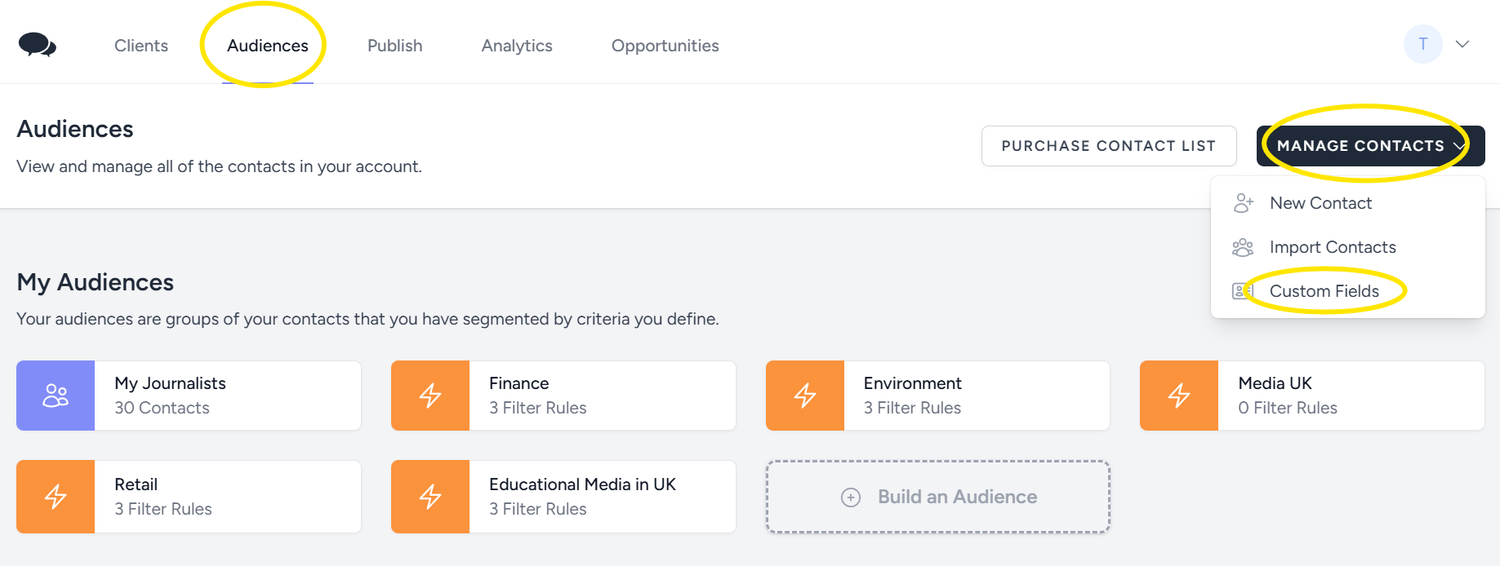
Then you can add the new fields. These will be the same as the headings of your CSV file. For example, if you have telephone numbers or Outlet names in the list you want to upload, you need to create them as fields in the platform first to match with your spreadsheet.
Click on 'Add Field' and add the name of the new field, choose the type of data and click 'Save'.
.png)
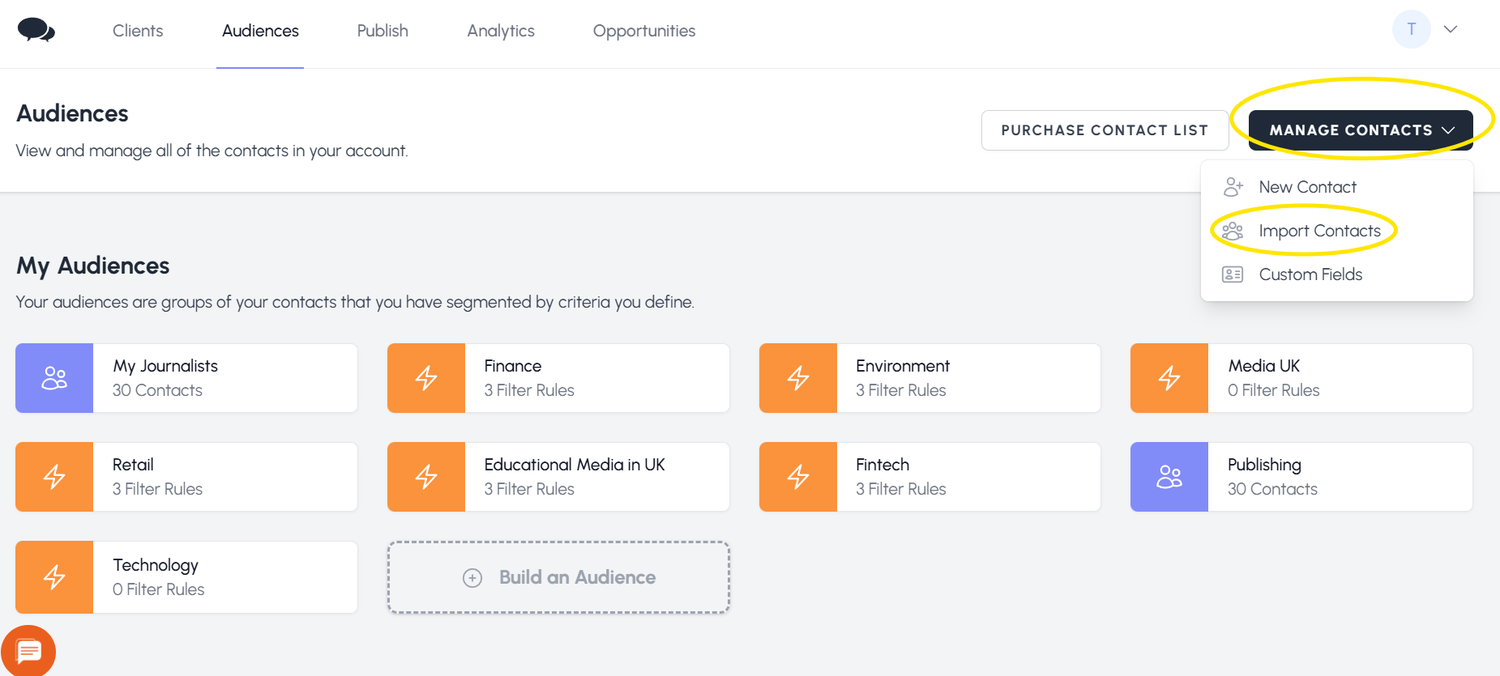
With the right fields in place, click on 'Import Contacts' to start uploading your media list.


 We use