.png)
Before you upload your Media List, you may want to add custom fields to ensure that the JournoLink Platform displays all the headings from your CSV file. To add custom fields in ‘Audiences’ click on ‘Manage Contacts’ and choose ‘Custom Fields’.
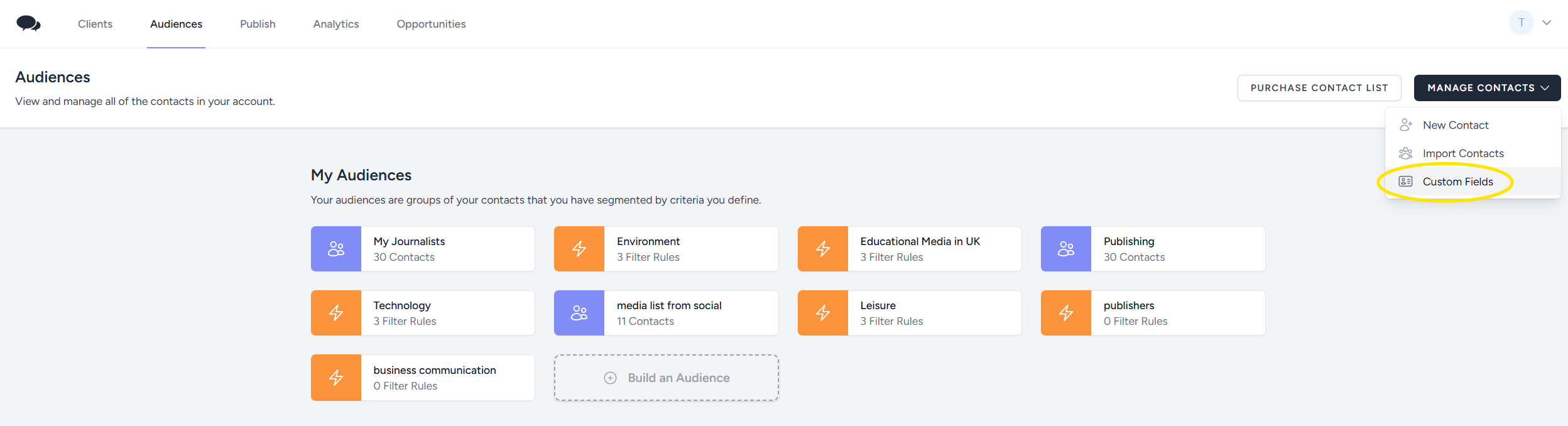
Add your new fields and save.
.png)
To upload your Media list, in ‘Audiences’, click on ‘Manage Contacts’ and choose ‘Import Contacts’.
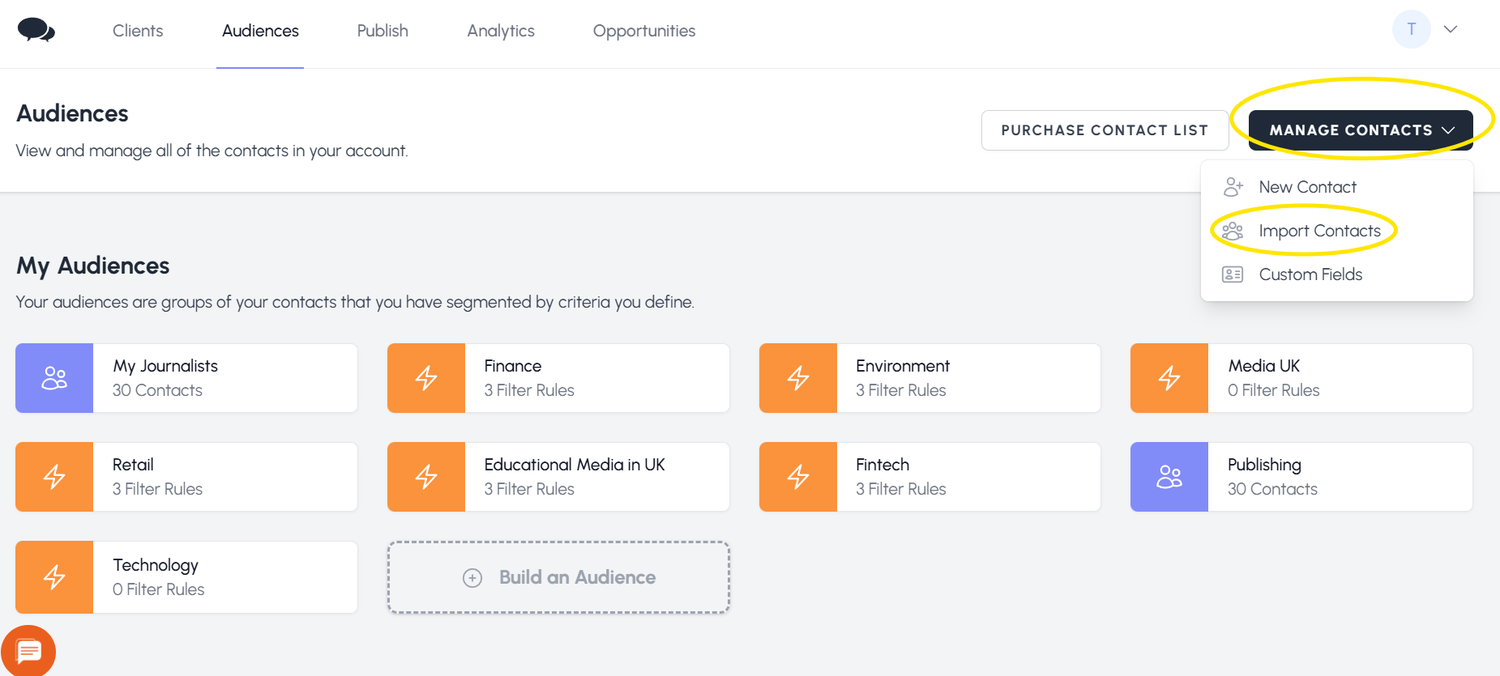
After you upload your contacts, make sure to 'Build an Audience’ for your media list.


 We use