.png)
Navigating JournoLink
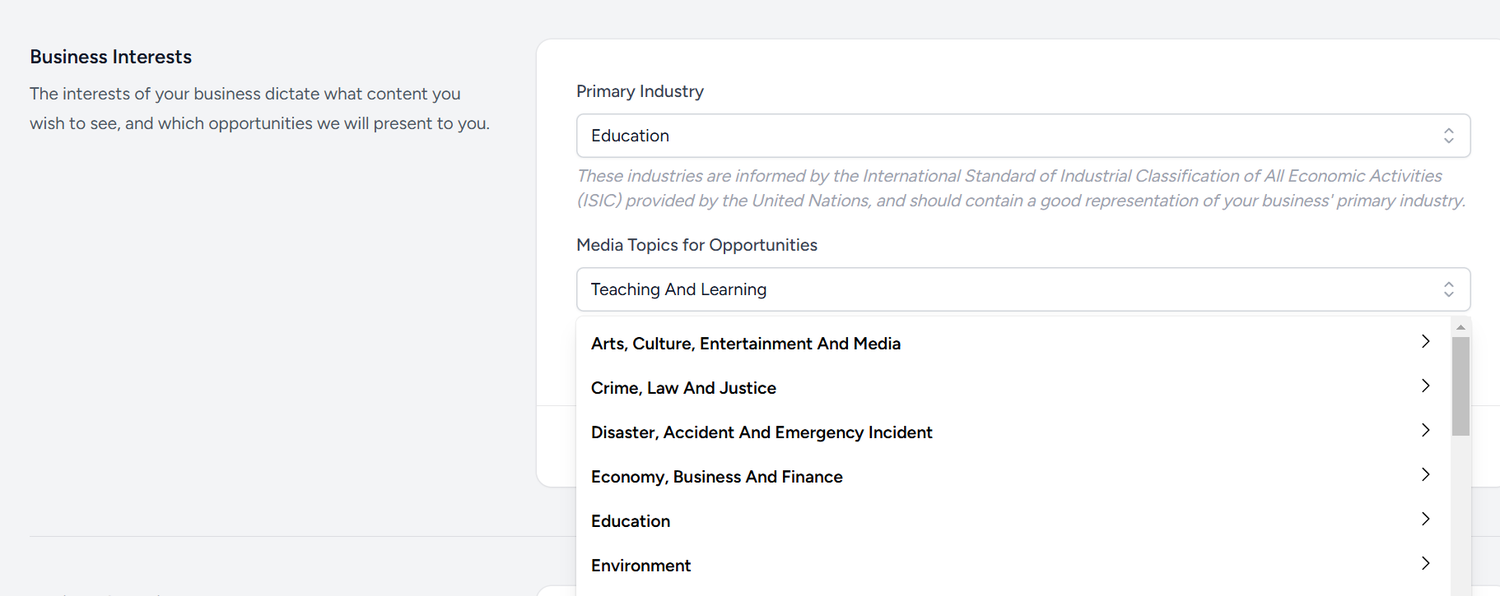
- Clients: This is your area for managing your Business Profile. In this section, you can add details about the company, edit your press room and choose your Industry and Topics of Interest for suggested media requests.
- Audiences: In this section, you can segment the JournoLink distribution contact list to target your audience and upload and manage your contacts.
- Publish: This is your core area for managing your content and creating press releases.
- Analytics: Your press releases and Press Room reach.
- Opportunities: Where you can find and reply to media requests.
Step-by-step guide to get you started
1- Create your Brand Business Profile and set your Media Request notifications
When you subscribe to JournoLink for Press Release distribution, you will also get a press room, where all your press releases are automatically published. It will become public as soon as you send the first press release. So, the first thing you want to do before sending press releases is to update your Brand Business Profile for your press room. Don't forget to add contact details for the press to make it easier for them to know how to get in touch if they have questions or would like an interview with you.
Click on 'Clients' and then on 'Edit' to complete your Business Profile
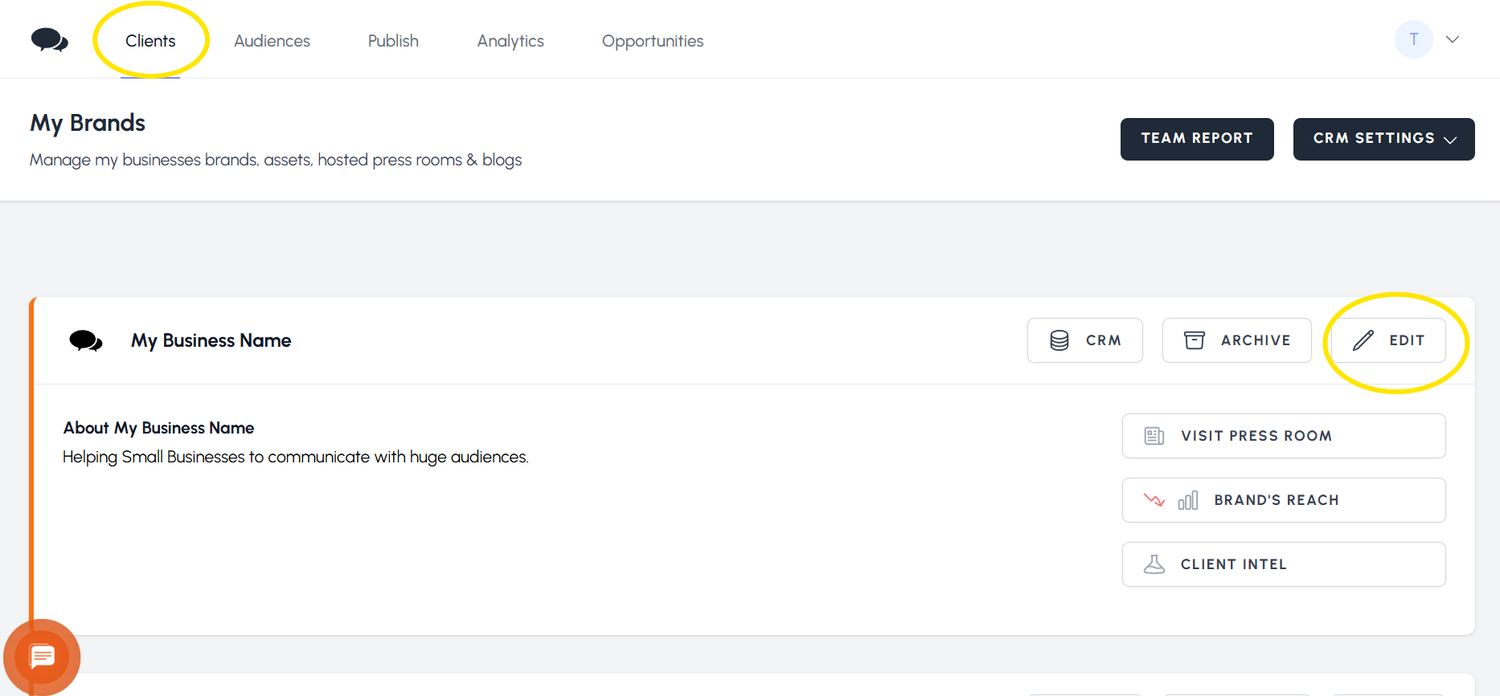
If you are a Multi-business or Agency user, you need to do the same for each of your Businesses or Clients.
2- Set your preferences for Media Requests
3- Define your Audience
Before you send your first press release, make sure you create a few different types of audiences to match the journalists you want to reach.
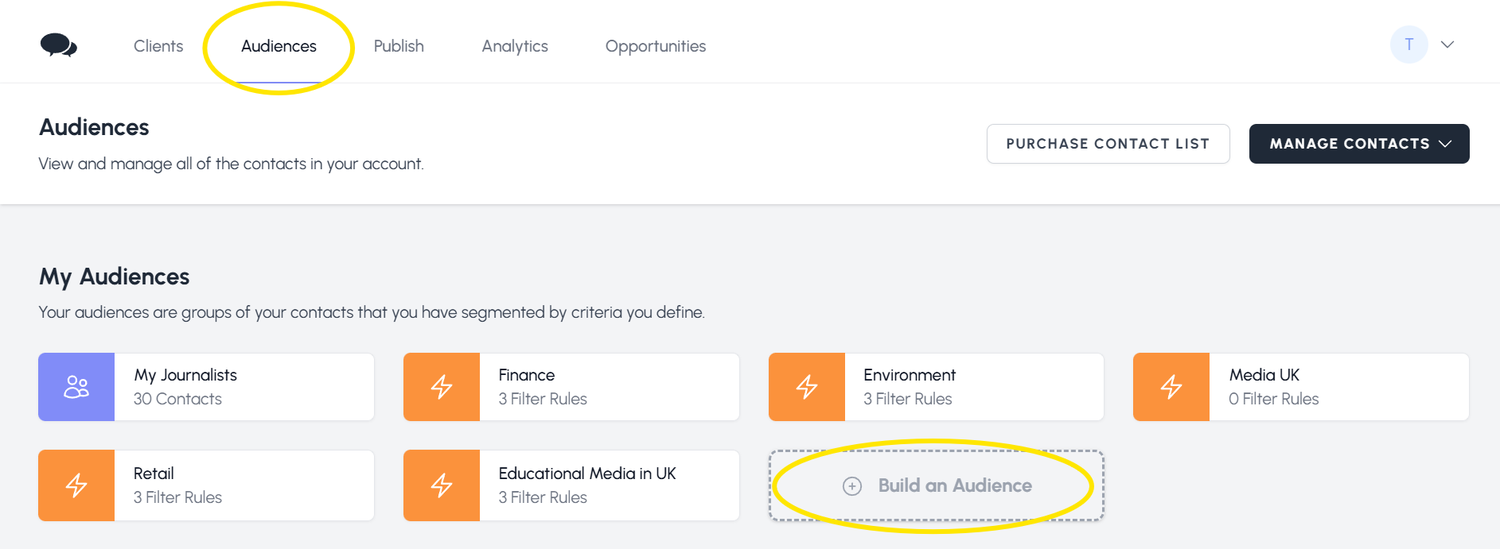
To build your Audiences, click on Audiences and then on 'Build an Audience'
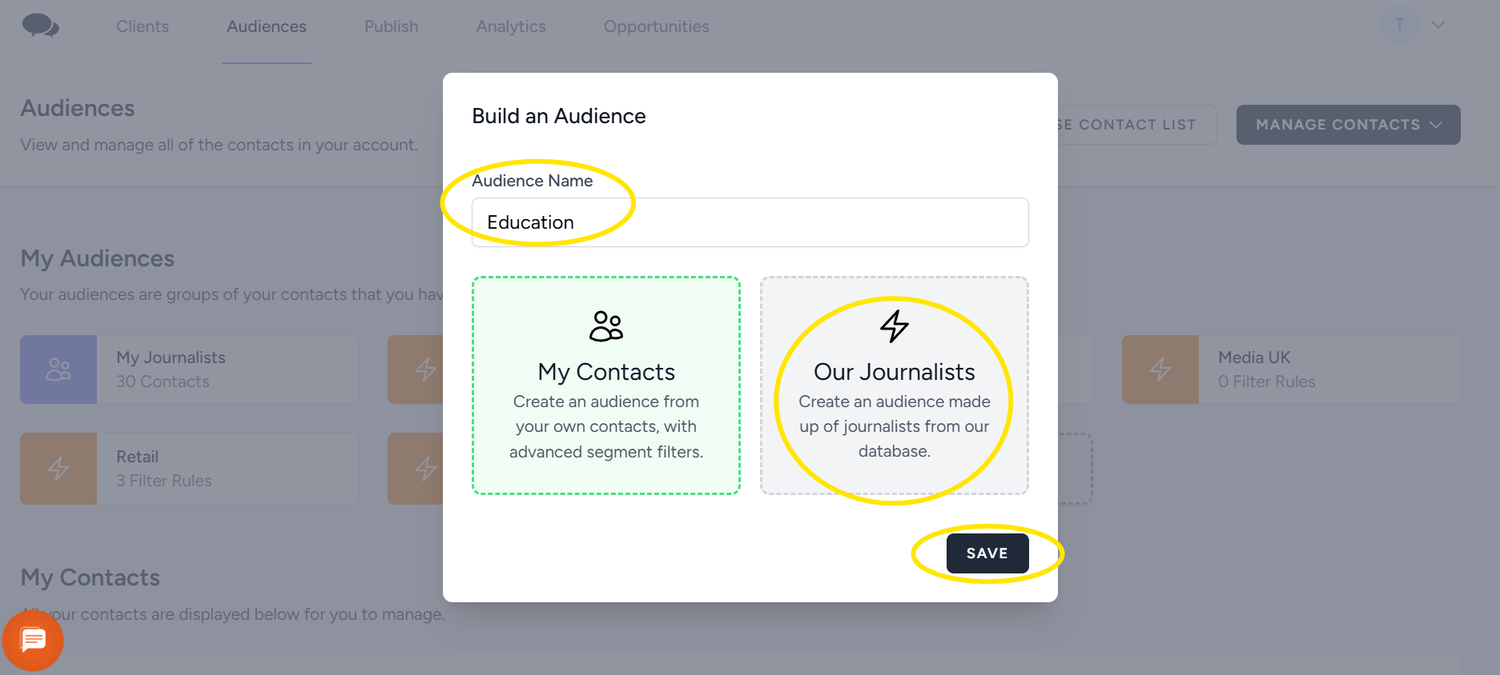
Give your audience a name and click on 'Our Journalists' if you just want to define the audience for JournoLink contacts, or click on 'My Contacts' if you want to segment any contacts that you uploaded.
Choose the parameters you want to match your press release with. There are 3 filters for each segment. Just choose what you think will match your release. This will define the journalists who will receive your press release. Remember to build different Audiences covering not only your sector but also your topic to ensure a broader reach.


 We use